HR in Slack for SMBs: How to Run It Without the Hassle
Jun 24, 2026
updated on:
•
8 min
written by
Mila Dliubarskaya
Your team already lives in Slack, but managing HR there often means choosing between bloated enterprise software and a collection of single-purpose bots that don't work together. This guide breaks down the core HR and employee engagement functions SMBs actually need in Slack, and how to build a streamlined HR workflow without adding unnecessary complexity, cost, or admin work.
For SMBs, HR software often comes with an uncomfortable trade-off. Companies that want to manage HR processes in Slack usually find themselves choosing between two imperfect options: enterprise HR platforms that are expensive, complex, and packed with features they may never use, or standalone Slack bots that solve a single problem but leave the rest of the HR workflow untouched. Neither option is a great fit for teams that need something practical, affordable, and easy to manage.
The challenge is especially noticeable because Slack is already the operational center of many growing companies. Slack has 47.2 million daily active users across 750,000+ organizations; for most SMBs under 300 people, Slack is already where work happens. Employees ask questions, managers approve requests, onboarding conversations happen, and company announcements are shared – all within Slack. Yet the tools available to support HR processes often live somewhere else or require teams to piece together multiple solutions.
As a result, HR teams are left juggling disconnected systems, managing several bots for different tasks, and relying on manual workarounds to fill the gaps. This raises an important question: what are the core HR and employee engagement functions that companies actually need inside Slack, and is there a better alternative to choosing between enterprise software and a patchwork of bots? In this article, we'll explore the essential HR workflows for SMBs and look at whether a new generation of all-in-one Slack-native platforms can finally offer the middle ground many teams have been looking for.
What HR in Slack Means in Practice
Most HR platforms rely on Slack only for notifications. An alert such as "You have a pending approval in [Platform]" appears in a dedicated channel, prompting the employee to open a separate URL, log in again, and complete the task outside Slack.
In this setup, Slack functions more like a pager than a workspace. Notifications are delivered in Slack, but the actual HR workflows take place elsewhere.
Running HR in Slack means the work happens in Slack. The time-off request is submitted via a Slack shortcut. The manager approves it in Slack with one click. A kudos gets posted to a channel the whole team sees. A pulse survey arrives as a Slack message and gets answered without leaving the workspace. A birthday reminder fires automatically in the right channel on the right day.
For HR in Slack to work as a complete system for HR teams using Slack as their primary workspace, five functions need to run natively:
Recognition and kudos: peer-to-peer and manager acknowledgment posted to visible Slack channels, not a wall nobody visits
Time-off requests and leave management: request, approval, and team visibility in one Slack workflow
Employee surveys: pulse checks and engagement surveys delivered as Slack messages, not portal links
Org chart: team structure queryable in Slack, not a stale slide deck
Birthday and work anniversary reminders: milestone recognition that fires automatically without a calendar check
When all five run in Slack, HR operates where employees already are. When any one requires a separate login, participation drops. That is the central constraint of Slack human resources management and the reason the tool you choose determines whether the strategy works at all.
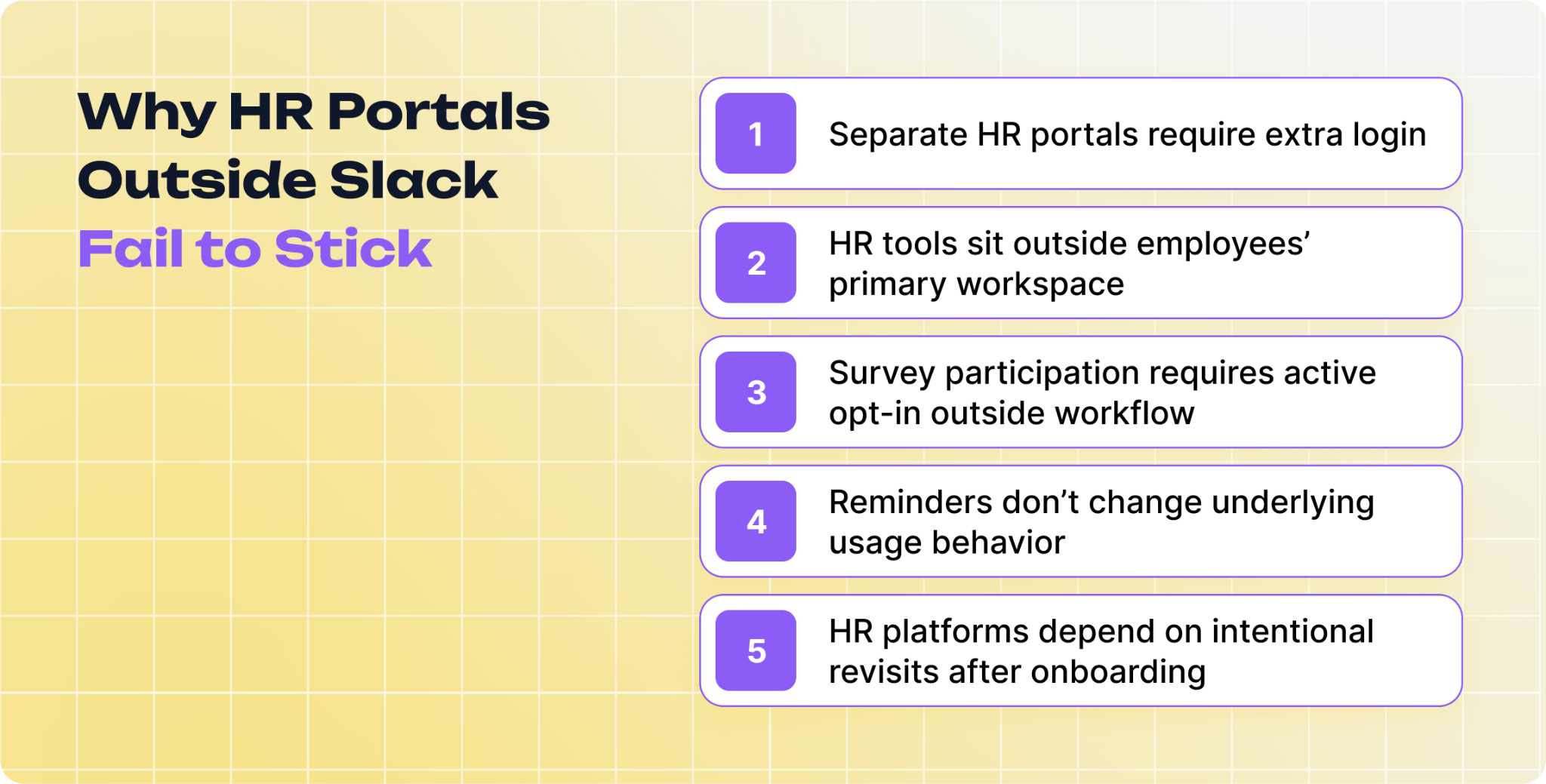
Why Standalone Portals Fail at Adoption
The failure mode is consistent: HR tool purchased, onboarding run, participation disappoints. Three months in, the HR manager is still chasing survey responses manually. Twelve months in, the tool is quietly cancelled.
The cause is not culture, change management, or a poorly run launch. Platforms requiring a separate login that employees rarely visit show low participation rates across HR software categories, regardless of how well the tool was implemented. Habit is the barrier: employees don't visit a URL that isn't already in their daily routine.
Your team opens Slack before they open anything else. The HR portal sits at a URL nobody saved after onboarding. New employees visit once during their first week, forget the link, and never return. The survey that launches the following week gets an 18% response rate. By month three, even the early adopters have stopped checking. The tool auto-renews, and someone finally notices it during the budget review.
More reminder emails and better onboarding sequences don't fix this. Each send still requires employees to go somewhere their daily routine doesn't pass through. The only fix that works structurally is putting the workflows where the routine already goes.
The Context-Switching Cost Every Standalone Tool Adds
Every trip from Slack to an HR portal is a context switch. The average knowledge worker makes more than 1,200 application and website switches each day, spending roughly four hours per week just reorienting. That adds up to five full working weeks per year lost to switching overhead.
The recovery cost per interruption is well documented. After being pulled away from focused work, employees need an average of 23 minutes and 15 seconds to fully regain concentration. Research from the American Psychological Association puts the broader loss even higher, finding that frequent task switching consumes up to 40% of productive time.
60% of the average knowledge worker's day already goes to coordination and administrative overhead, from status updates to searching for information and switching between tools, rather than the skilled work they were hired to do. An HR portal adds to this load. Slack-native HR workflows do not.
Streamline HR processes right in your Slack workspace
The Market Gap: Enterprise Systems, Standalone Bots, and What SMBs Need
SMBs evaluating HR tools run into a predictable problem: the options don't fit.
Enterprise HR platforms such as Lattice, 15Five, BambooHR, and Workday are built for organizations with hundreds of employees, dedicated people ops teams, and IT departments managing procurement. Lattice starts at $11 per seat per month and reaches $14–22 per employee per month with full modules, adding up to $8,400–$13,200 per year for a 50-person team before implementation or training costs. Minimum annual contracts start at $4,000. These platforms are designed for compliance tooling, multi-layer performance review cycles, and HRIS integrations at scale. For a team of 40 that needs kudos, PTO approvals, and monthly pulse surveys, the complexity arrives well before the value does.
On the other side are standalone Slack bots: one app for time off, another for kudos, another for birthday reminders, another for surveys. Each may work well for its specific function. The compounding problem is management. Separate billing per tool, separate admin panels, separate onboarding for each feature, and no unified view across five workflows means a team running four Slack HR bots is effectively managing four separate vendor relationships, with four renewal dates, four support contacts, and four configurations to keep in sync.
Option
Coverage
Cost (50 people/year)*
Main drawback
Enterprise HR platform
Full HRIS + HR workflows
$8,400 - 13,200+
Priced and built for companies 5-10x larger
Multiple standalone bots
One function per tool
$1,800 - 3,600 (4 - 6 bots)
Fragmented admin, no unified view, compounding cost
All-in-one Slack-native HR
All core HR workflows in Slack
$750 - 1500
Smaller ecosystem; not an HRIS replacement
*Approximate costs as of June 2026. Enterprise costs exclude implementation and training
The gap in the middle, specifically Slack HR tools covering all core HR workflows in a single product, built for teams under 300 and with no annual contract, remains notably thin.
Recognition and Kudos in Slack
Recognition works differently in Slack than it does inside a portal. A kudos posted to a platform wall nobody visits does nothing for the recipient, the sender, or the team. The same kudos posted in #general generates reactions within minutes, lands in the sidebar for everyone active that day, and arrives at the exact moment it was meant to. The channel is what makes recognition land.
For recognition in Slack to build a habit, the mechanism needs to stay inside Slack: a slash command or shortcut, a channel selection, a message. Three steps at most, no browser tab required. The recognition should post to a visible team channel, not disappear into a DM or a feed the team doesn't scroll. And it should be frictionless enough that team members send kudos spontaneously, not only when prompted by an HR campaign.
Employees receiving high-quality recognition are 45% less likely to have left within two years, based on Gallup and Workhuman tracking of 3,500 employees. The difference between recognition that compounds over time and recognition that fades after the launch announcement almost always comes down to participation. A #kudos channel with ten posts per week builds culture. A portal with ten total posts never gets the chance.
The informal PTO process at most small teams is recognizable: an employee messages their manager over DM, the manager responds, someone updates the spreadsheet if they remember, and someone else schedules a meeting on the same day without checking.
A Slack-native leave management workflow changes the structure. The employee submits a request through a Slack shortcut, including dates, leave type, and coverage context if relevant. The manager sees the request in Slack and approves or declines with one click. Leave is recorded. Team calendar visibility updates. No follow-up from either side.
EY research puts the cost of manual time management at $113.40 per employee per year before accounting for manager time spent on ad-hoc DM requests. For a 30-person team, that amounts to over $3,400 per year in overhead from a process that feels invisible until you count the DMs flying around every Monday morning.
HR staff spend 57% of their time on administrative tasks, according to Deloitte data. A structured Slack leave workflow removes the admin burden from day one, with no portal to maintain, no separate calendar to sync, and no DM chain to reconstruct months later.
Survey response rates are the most direct signal of whether your engagement tool is working. A survey distributed via a portal link gets 10 to 15% completion. The same survey delivered as a Slack message, in a channel employees check multiple times per day, performs better because the survey arrives where the work is happening.
For surveys in Slack to generate useful data, delivery alone is not enough. Questions need to be short. Pulse surveys that take under two minutes get answered, while longer surveys get deferred until "later," which becomes never. Responses need to be anonymous, or employees answer what they think management wants to hear. Results need to reach the right people quickly, not sit in a dashboard nobody logs into to check.
Teams that have run engagement surveys through a Typeform link in #general understand the gap: the link becomes a task for later, and "later" becomes never for most of the team. A Slack message that arrives on a Tuesday morning gets answered on a Tuesday morning.
For teams running regular pulse surveys, such as monthly check-ins, post-quarter feedback, and eNPS, the compounding effect is real. A tool generating 60 to 70% response rates produces data worth acting on. A tool generating 15% rates produces noise.
Org charts exist in two states: current the week they're published, and wrong every week after. Someone leaves. A role changes. A new team forms under a different manager. The onboarding slide deck is outdated by month two, and nobody updates it because updating requires going somewhere inconvenient.
An org chart queryable in Slack changes the dynamic. An employee looks up who manages a function, finds a cross-functional contact, or confirms reporting lines without switching applications. The org chart gets used because it's accessible at the moment the question comes up, not behind a login the employee has to remember.
For new hires, a searchable org chart in Slack removes one of the recurring friction points of the first 90 days: figuring out who to go to without having to ask their manager repeatedly. For team leads, it provides a reference that stays accurate because it's part of the same tool handling other HR workflows, not a slide that drifts from the moment the first person leaves.
Structure changes appear where people will see them: in the workspace they already have open. When the chart lives inside the tool the team uses every day, keeping it current stops feeling like a separate task and starts feeling like a natural part of how work gets done. That shift, from org chart as document to org chart as living reference, is what makes the difference between a resource people trust and one they quietly stop consulting.
Birthday and work anniversary recognition is one of the lowest-effort culture investments a team can make and one of the most consistently missed. The failure mode is not indifference but the fact that hitting every date without missing one requires someone to maintain a list, check it regularly, and act at exactly the right moment every time. Most teams put this on the HR manager, who scans a spreadsheet on Monday mornings. Some dates get missed. Others arrive two days late.
The right Slack HR setup collects dates once and fires automatically on the correct day in the designated channel. No Monday check. No missed dates. The message goes to #general, or a dedicated celebrations channel, in whatever format the team has configured. Milestone recognition such as 1-year, 5-year, and 10-year work anniversaries has a compounding effect on retention and team culture that is easy to underestimate when no individual moment feels significant.
Gallup's research identifies recognition quality as one of the top drivers of employee retention, and milestone moments are among the highest-leverage opportunities to get it right without large budget or coordination overhead.
What makes automated reminders especially powerful is that they remove the dependency on any single person's memory or calendar discipline, so recognition happens consistently regardless of team size or HR bandwidth. Over time, that consistency is what employees notice most: not the grand gesture, but the fact that the team always shows up on the day that matters to them.
How OrgaNice Helps to Automate and Manage HR in Slack
We've covered five essential HR functions that matter most for Slack-based teams: keeping track of time off, recognizing employee contributions, celebrating milestones, collecting feedback, and maintaining engagement. While many companies try to solve these needs with separate tools and bots, managing everything across multiple systems quickly becomes difficult as teams grow.
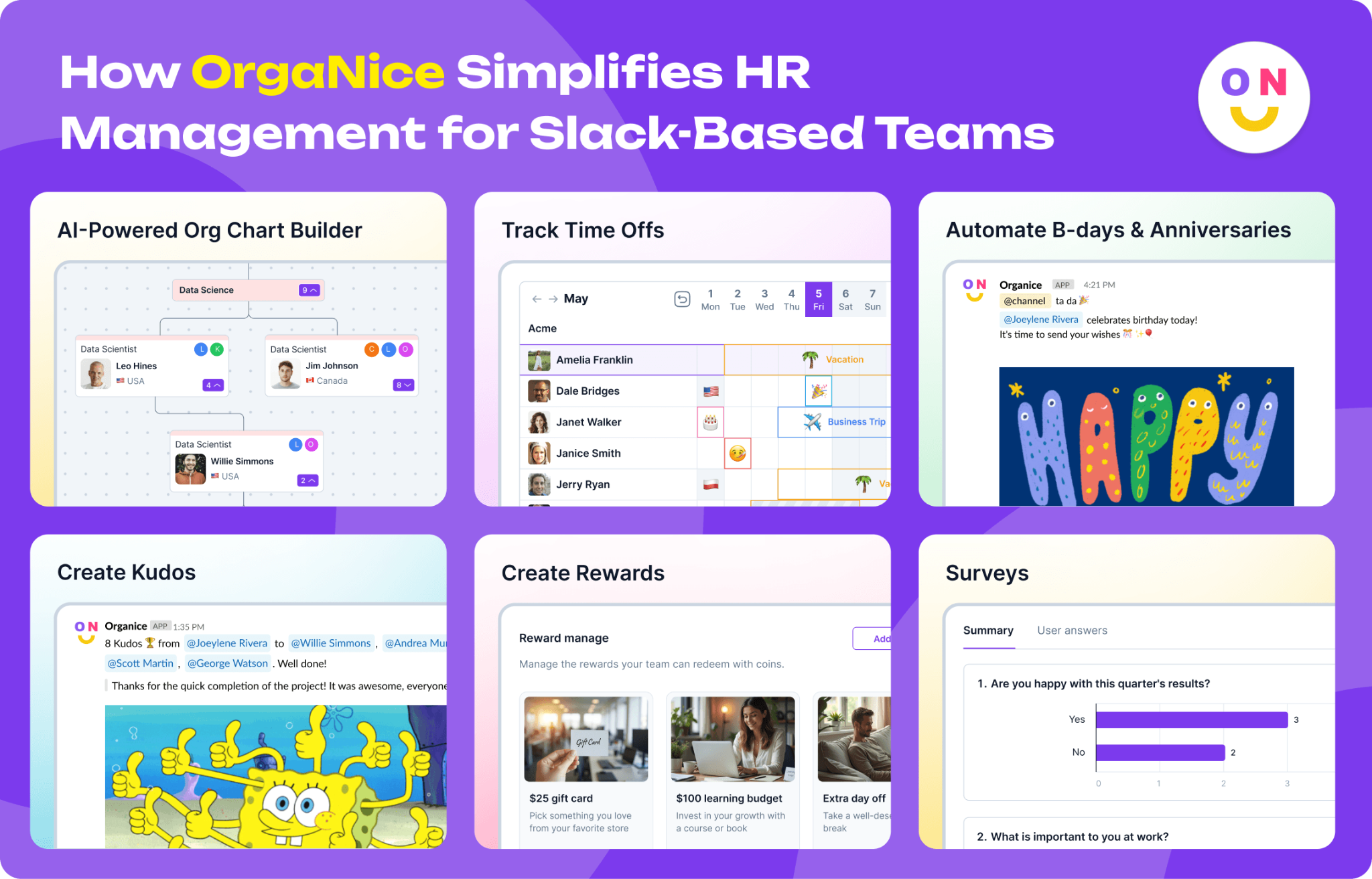
OrgaNice takes a different approach by bringing these core HR workflows together in a single Slack-native platform:
Employee Milestone Celebrations — Automatically acknowledge birthdays and work anniversaries, ensuring important moments never go unnoticed and helping teams stay connected, even in remote environments.
Leave and Absence Management — Give employees an easy way to request time off while helping managers and HR keep visibility into vacations, sick days, remote work schedules, and other absences.
Peer-to-Peer Recognition — Encourage employees to celebrate each other's achievements through public kudos and shout-outs, making appreciation a visible part of everyday work.
Employee Listening Tools — Gather feedback through pulse surveys and polls directly in Slack, making it easier to monitor engagement and identify issues before they become bigger problems.
Recognition-Based Rewards — Reinforce positive behaviors by connecting employee appreciation programs with meaningful incentives that help sustain motivation over time.
By centralizing these workflows inside Slack, OrgaNice helps SMBs reduce administrative effort, improve employee engagement, and create a more consistent HR experience without adding another complex platform to their tech stack.
Getting started requires minimal setup. After installing OrgaNice in your Slack workspace, HR teams can configure employee profile fields, customize notifications, and automate routine people operations from a centralized admin panel. Employee information is collected and synchronized automatically, reducing manual administration and helping teams launch engagement programs quickly.
For SMBs looking for a practical alternative to enterprise HR suites and disconnected Slack bots, OrgaNice offers a simple middle ground. Teams can explore the platform with a free two-week trial, and paid plans start at $1.25 per user per month, with discounted annual pricing available. The result is a more connected, engaged, and appreciated workforce without adding another layer of complexity to HR operations.
Manage crucial HR functions without ever leaving Slack
Slack-native HR is not a full HRIS replacement. Payroll processing, benefits administration, I-9 verification, legal document storage, and multi-jurisdiction compliance belong in a dedicated HRIS such as BambooHR, Rippling, Gusto, or a comparable platform.
What Slack-native HR handles is the participation-dependent layer: the workflows where employee involvement determines whether the tool produces value. Recognition only works if people send kudos. Surveys only generate data if people complete them. Leave management only reduces admin overhead if employees submit requests through the tool rather than over DM. These are the workflows where standalone portals fail at adoption. Slack-native tools do not face this problem, because the workflows live where employees already are.
If you are looking for a Slack‑native HR tool built specifically for SMBs, OrgaNice brings all the core HR functions you need into one lightweight app that lives right inside Slack. If you would like to see it in action, reach out to us and we will be happy to help you move your team's HR workflows into the place where everyone already is.
FAQ
1. Is there an HR app for Slack?
Yes, several options exist, but they differ significantly. Enterprise HR platforms like Lattice integrate with Slack via notifications. Standalone Slack bots each handle one function. All-in-one Slack-native HR tools cover recognition, time off, surveys, org charts, and birthday tracking in a single tool without a separate portal. For HR teams at SMBs under 300 people, the relevant question is which category fits.
2. Can I manage time-off requests in Slack?
Yes. A Slack HR app with native leave management lets employees submit time-off requests via a Slack shortcut, routes the request to the approving manager in Slack, and records approved leave all without a portal visit. The process takes under two minutes from submission to approval.
3. What HR workflows can run in Slack?
Recognition and kudos, time-off requests and approvals, pulse surveys, birthday and work anniversary reminders, and org chart lookups can all run natively inside Slack. The challenge is finding a single Slack HR tool that lets you manage HR in Slack completely — most standalone bots handle one or two functions, requiring multiple apps for full coverage.
4. Why do employees stop using HR portals?
The primary cause is friction. HR portals require a separate login employees rarely maintain. The URL is forgotten after onboarding and the habit never forms. Platforms requiring a distinct login show low participation rates regardless of how well they were implemented. Slack-native HR removes this barrier entirely by keeping every workflow inside the tool your team already opens every day.
5. What Slack HR channels should every HR team have?
Most HR teams set up dedicated HR Slack channels for recurring workflows: a #kudos channel for peer recognition, an #announcements channel for company-wide HR updates, and a channel for time-off visibility. With a Slack HR app, kudos, survey results, and birthday or anniversary messages can be routed to any designated channel. Consistency matters more than naming. What counts most is having visible, predictable spaces where HR communication consistently happens.