Time Off Request Email: Elements, Writing Tips, and Examples You Can Use
Dec 2, 2025
updated on:
•
12 min
written by
Mila Dliubarskaya
Ever feel like asking for time off is harder than actually taking it? A well written time off request email can cut through the awkwardness and keep everything running smoothly at work. In this article, you will learn what turns a simple request into a clear, professional message and get a time off request email template you can adapt in seconds.
When you need time off, hitting “send” on that request email can feel a little like asking a neighbor to look after your dog while you are away. It is a perfectly reasonable favor, yet you still catch yourself rehearsing every sentence to make sure it sounds polite and clear. That small hesitation is exactly why learning how to request time off via email in a confident and structured way makes the process much easier.
Think of it as packing a carry on bag. You stand over an open suitcase, trying to decide what truly matters for the trip ahead. You hold up a shirt, then put it back. You debate taking an extra pair of shoes, then remind yourself they will only weigh you down. Little by little, you choose only what fits the journey, leaving the rest behind. Writing a time off request email feels similar. When you strip away the unnecessary and keep only what naturally belongs there, the whole message becomes lighter, clearer, and far less stressful to send.
In this article, we will break down the core elements that make a leave request email effective, offer practical writing tips, and share examples you can copy and adjust for your own situation. Whether you are planning a long awaited vacation, handling something personal, or simply need a quiet day to recharge, you will be able to create a message that feels natural, respectful, and easy for your manager to approve.
Understanding Time Off Requests: Types and Eligibility
A time off request is an employee’s formal notice to their employer that they need planned or unplanned leave from work. Such submissions help organizations maintain smooth scheduling, ensure adequate staffing, and support overall employee well-being.
Time away from work may be used for rest, personal needs, health reasons, or family obligations, depending on company policies and local labor laws. While the details vary by employer, most organizations provide clear guidelines on when leave can be taken, how much is available, and what documentation might be required.
vacation leave (paid time for rest, travel, or personal plans; usually accrued based on tenure);
sick leave (time off for illness, injury, or medical appointments; may require proof depending on duration);
personal leave (flexible leave for personal matters that don’t fall under sick or vacation time);
parental or family leave (time off for childbirth, adoption, or caring for a family member with health needs);
bereavement leave (leave granted after the loss of a close family member);
unpaid leave (time off without pay when paid leave isn’t available or applicable; typically requires approval).
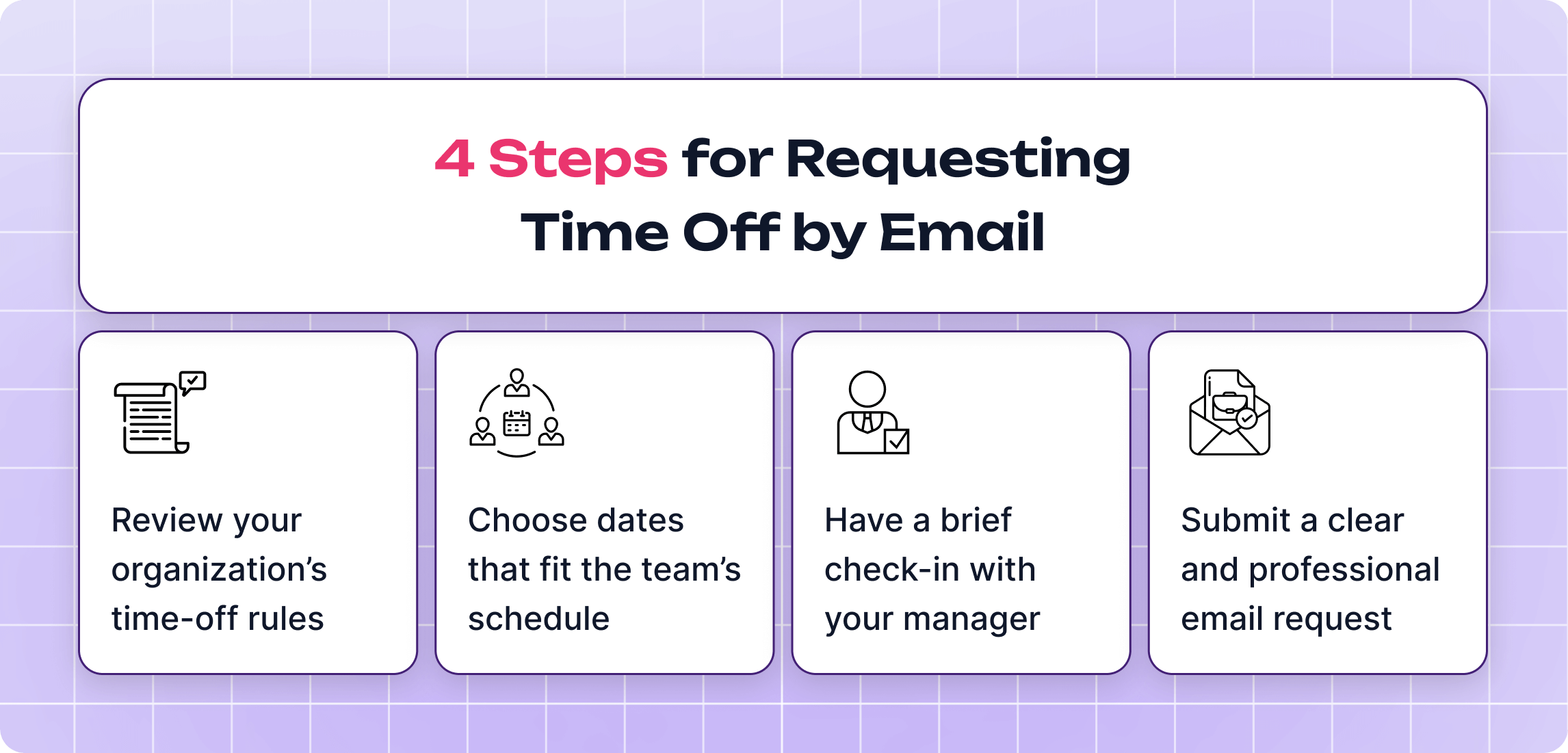
How to Request Time Off via Email in 4 Steps
Before you even get to the actual leave request email, there’s a bit of prep that makes the whole “asking for time off” process much easier. You need to know the rules, understand whether your dates work for the team, and make sure your manager isn’t caught off guard. When these steps are in place, your request feels well-thought-out rather than last-minute, and your manager can approve it without hesitation. The four steps below walk you through what to check, who to talk to, and how to set everything up before you hit “send.”
Review Your Organization’s Time-Off Rules
Before requesting time off, it helps to understand how your company’s system is structured. Employers differ widely: some allow employees to accrue days gradually, others require the completion of a probation period, and some permit leave even when no paid time is available (though it may be unpaid). Knowing these details sets realistic expectations and prevents surprises later.
This information is typically outlined in the employee handbook, HR portal, or onboarding checklists. These sources usually explain how much leave has accrued, whether any waiting periods apply, and how much notice is required for various types of time off. Having this context makes it easier to align your plans with company PTO policy and prepares you to submit a request that fits all internal guidelines.
Choose Dates That Fit the Team’s Schedule
Selecting the right timing can make the approval process much smoother. Most teams have busy periods, ongoing projects, or key deadlines where being short-staffed can create added pressure. Looking at your team’s workload, upcoming deliverables, or the company calendar can help you identify days that are less disruptive.
Considering the team’s overall capacity shows awareness of shared responsibilities. When your preferred dates fall during a quieter period or when others can easily cover your tasks, managers are usually more open to approving the request.
Have a Brief Check-In With Your Manager
A short conversation with your manager before sending the formal request can prevent misunderstandings later. This can be as simple as mentioning the dates you're considering and asking whether they align with the team’s plans. It isn’t always necessary to give a detailed explanation for your time off, but for longer absences or unusual requests, a quick context can help your manager understand your needs.
This check-in also helps clarify practical details, such as who will cover your tasks, whether any handovers are needed, and where to send the official email request. Managers generally appreciate seeing that you’ve thought through the logistics. As a result, the actual approval process tends to be smoother, since most questions are already addressed before the email arrives.
Submit a Clear and Professional Email Request
Once everything is aligned, the email serves as the formal documentation of your plans. A good request usually includes the dates, the type of leave, and a brief confirmation that you’ve reviewed the schedule or spoken with your manager.
It doesn’t need to be long, clarity and structure often matter more than extra details. Many companies have guidelines on how far in advance the email should be sent, especially for extended leave, so it helps to keep those timelines in mind.
Sometimes it’s surprisingly hard to find the right words when you need a day off. We’ve all been in that situation, staring at the screen and rewriting the same sentence three times. Whether it’s for a quick getaway or a much-needed break, you want to sound polite, clear, and professional without overthinking it. So let’s look at how to write a solid, stress-free leave request email.
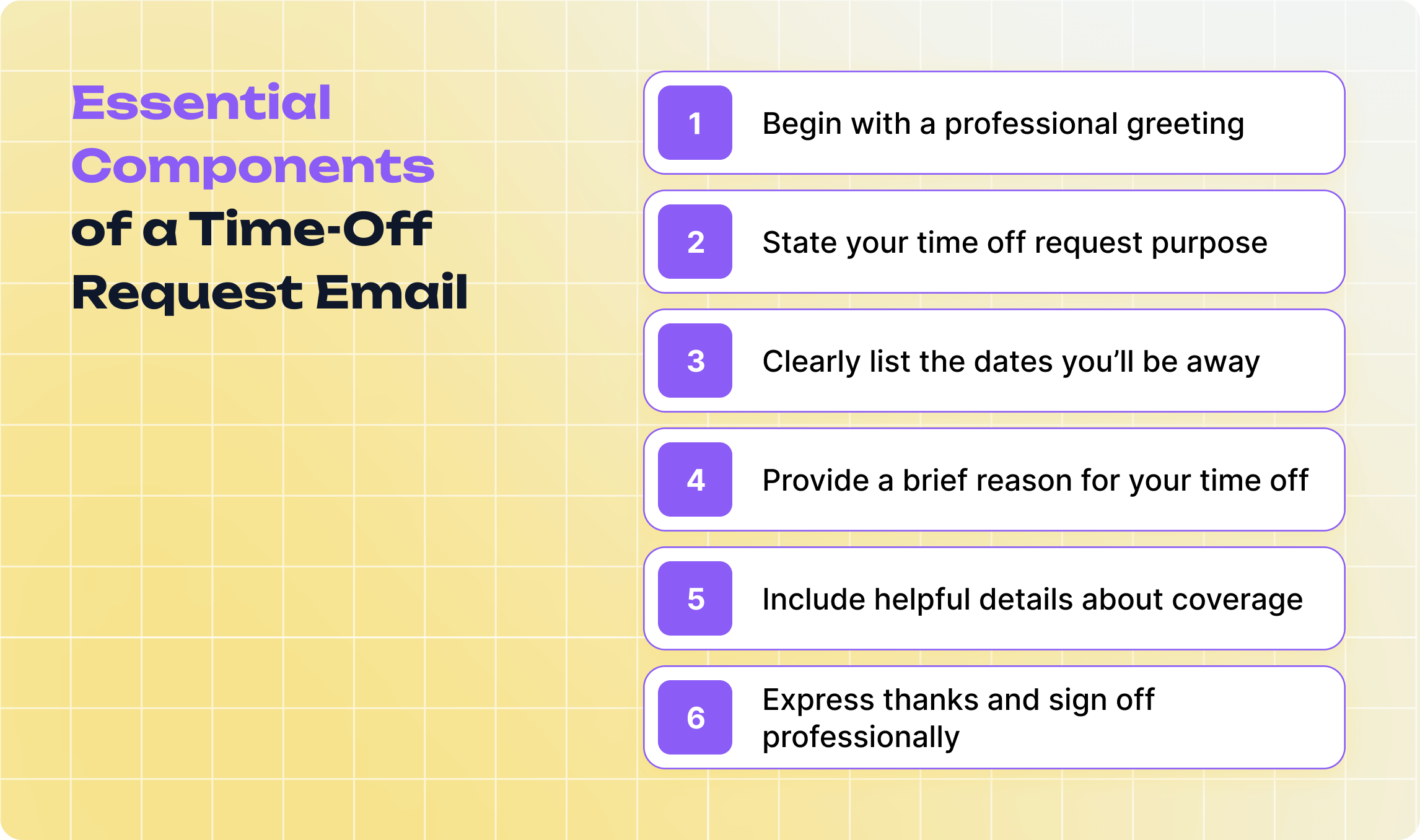
1. Start With a Professional Greeting
A good PTO request email begins with a polite, straightforward greeting addressed to your manager by name. Using a formal opener like “Hi [Name]” or “Hello [Name]” keeps the message respectful without sounding overly stiff.
Another option is “Dear [Name]”, which is more traditional and formal. It works well in companies with a formal culture or when emailing someone you don’t interact with regularly. Overly casual greetings like “Hey” or “Hi there” should generally be avoided, as they can make the request feel less serious.
2. State Your Time Off Request Purpose
After the greeting, the first sentence of your email should clearly explain why you’re writing. A straightforward line like “I’m writing to request time off from [start date] to [end date]” immediately tells your manager the purpose of the email.
Including the purpose upfront also makes the email easier to process, especially if your manager receives and schedules vacation and time off requests. It sets a clear context for the rest of the message and ensures your request is taken seriously.
3. Clearly List the Dates You’ll Be Away
It’s important to provide the exact dates you plan to be out of the office, including both the start and end date. If your time off includes partial days or half-days, mention that as well to avoid confusion. You can also note the total number of days you’ll be away, which makes it easier for your manager to plan coverage and update schedules.
For example, you might write: “I would like to request time off from Monday, December 9, through Friday, December 13, for a total of five full days.” Being precise with dates helps prevent misunderstandings and ensures your manager can coordinate workload or projects effectively. To top it all off, it’s wise to prepare your out of office message in advance.
It’s crucial to include a reason for your time off, particularly for extended absences or special leave types such as family matters or bereavement. Keeping the explanation concise and professional ensures your manager understands the purpose without unnecessary personal details. Simple phrases like “attending a family event” or “personal matters” are usually sufficient.
For example, you can write: “I would like to request time off from Monday, December 9, through Friday, December 13, to attend a family event out of town.” This clearly states the dates and gives a brief, relevant reason without oversharing.
5. Include Helpful Details About Coverage
It’s useful to explain how your work will be managed while you’re away. This could include completing tasks before your leave, delegating responsibilities to colleagues, or noting where important documents and project files can be found. You can also clarify whether you’ll be reachable and under what circumstances, though it’s usually not required to be constantly available.
For example, you might write: “I will complete all reports due before December 9 and have asked [Colleague Name] to cover urgent tasks during my absence. Project files are updated in the shared folder, and I will be reachable by email for emergencies only.”
6. Express Appreciation and Add a Professional Sign-Off
It’s essential to thank your manager for reviewing your request and considering your time off. A simple expression of gratitude, such as “Thank you for your time and consideration,” adds politeness and reinforces a positive working relationship. It also acknowledges that approving leave may require adjusting schedules or coordinating with other team members, showing that you recognize the effort involved.
Following your thank-you, end the email with a professional closing like “Best regards,”“Sincerely,” or “Thank you,” and include your full name. If your company uses an email signature, keep it in place for clarity and professionalism.
Sometimes you sit down to request time off in an email and just can’t figure out the right way to start or what to include. That’s completely normal, it happens to everyone. In situations like this, having a ready-made template can be a lifesaver. You can use a PTO request example as a starting point and simply swap in your own dates, type of leave, and any specific details.
General (Standard) Request
This template is ideal for routine time-off requests that don’t require special explanations or documentation. It’s suitable for short, planned absences or personal time where company policies are followed and no unusual circumstances apply.
Subject: PTO Request – [Your Name]
Hi [Manager’s Name],
I would like to request time off from Monday, December 9, to Friday, December 13. Please let me know if these dates are convenient or if you need any additional information from me.
Thank you for your time and consideration.
Best regards, [Your Name]
Vacation Request Email
You can borrow this vacation request email example when planning time off for personal travel or a longer break. Sending a clear, professional message in advance helps ensure that your workload is covered and makes it easier for your supervisor to track PTO accurately.
Subject: Vacation Request – [Your Name]
Hi [Manager’s Name],
I would like to request vacation time from Monday, January 13, through Friday, January 17. I will make sure all my tasks are up to date before my leave, and [Colleague’s Name] has agreed to cover any urgent matters while I’m away.
Please let me know if these dates work or if any adjustments are needed.
Thank you for considering my request.
Kind regards, [Your Name]
Emergency Leave Request
If you need to step away unexpectedly, keeping your message clear and direct is essential. Below is a time off request email example you can use when you’re facing an emergency and need to notify your manager right away.
Subject: Immediate Leave Request
Hi [Manager’s Name],
I’m dealing with an urgent family matter and need to take immediate leave starting today, [date]. I will provide an update by tomorrow regarding my expected return.
To ensure continuity, [Colleague’s Name] and [Colleague’s Name] are aware of my current projects and will cover any urgent tasks in my absence.
Thank you for your understanding and support during this situation.
Best regards, [Your Name]
Sick Leave Request Email
When you’re feeling unwell, a quick and clear note helps your manager adjust and track sick leave schedules without delay. Leverage this PTO request email template and customize it to match your situation so you can notify your team lead fast and focus on resting.
Subject: Sick Leave for Today
Hi [Manager’s Name],
I’m not feeling well and need to take sick leave today, [date]. I’ll monitor my condition and let you know if I’m able to return tomorrow.
I’ve updated my task list, and the team has access to everything needed in my absence.
Thank you for your understanding. Best,
[Your Name]
Maternity Leave Request
Preparing for maternity leave requires a thoughtful and respectful message to help your team plan ahead. Here’s a gentle and professional example you can tailor to your dates and needs.
Subject: Maternity Leave Request
Hello [Manager’s Name],
I’m writing to formally request maternity leave starting on [start date], with an expected return on [end date]. I’ll finalize my handover plan this week and ensure all ongoing tasks are documented and assigned.
Please let me know if you need any additional information or forms completed.
Warm regards, [Your Name]
Bereavement Leave Request
In difficult moments, a brief and sincere message is perfectly appropriate. Here’s a courteous way to inform your supervisor right away.
Subject: Request for Bereavement Leave
Hi [Manager’s Name],
I’m saddened to share that I have experienced a loss in my family and need to take bereavement leave from [start date] to [end date]. I will make sure all urgent responsibilities are handed off before I step away.
Thank you for your understanding during this time. Sincerely, [Your Name]
Single-day Leave Request
Sometimes you only need a day off, and a short, straightforward note works best. Here’s a crisp example for a one-day absence.
Subject: Request for One-Day Leave
Hi [Manager’s Name],
I’d like to request a day off on [date] for personal reasons. All my tasks for that day are either completed or scheduled, and the team is aware of my short absence.
Thank you for considering my request. Best, [Your Name]
Half-day Leave Request
When you need just a few hours away, clarity helps your manager adjust plans smoothly. Here’s a simple and polite example.
Subject: Half-Day Leave Request
Hello [Manager’s Name],
I’d like to request a half-day leave on [date]. I will be away from [time] to [time] and will manage all urgent tasks before I step out.
Please let me know if this works. Thank you, [Your Name]
Writing a Leave Request Email: Tips and Best Practices
Requesting time off isn’t only about writing a clear email. Timing, communication style, and workplace context are just as important. So, check out the tips below to get approval smoothly and maintain a good working relationship with your manager and team.
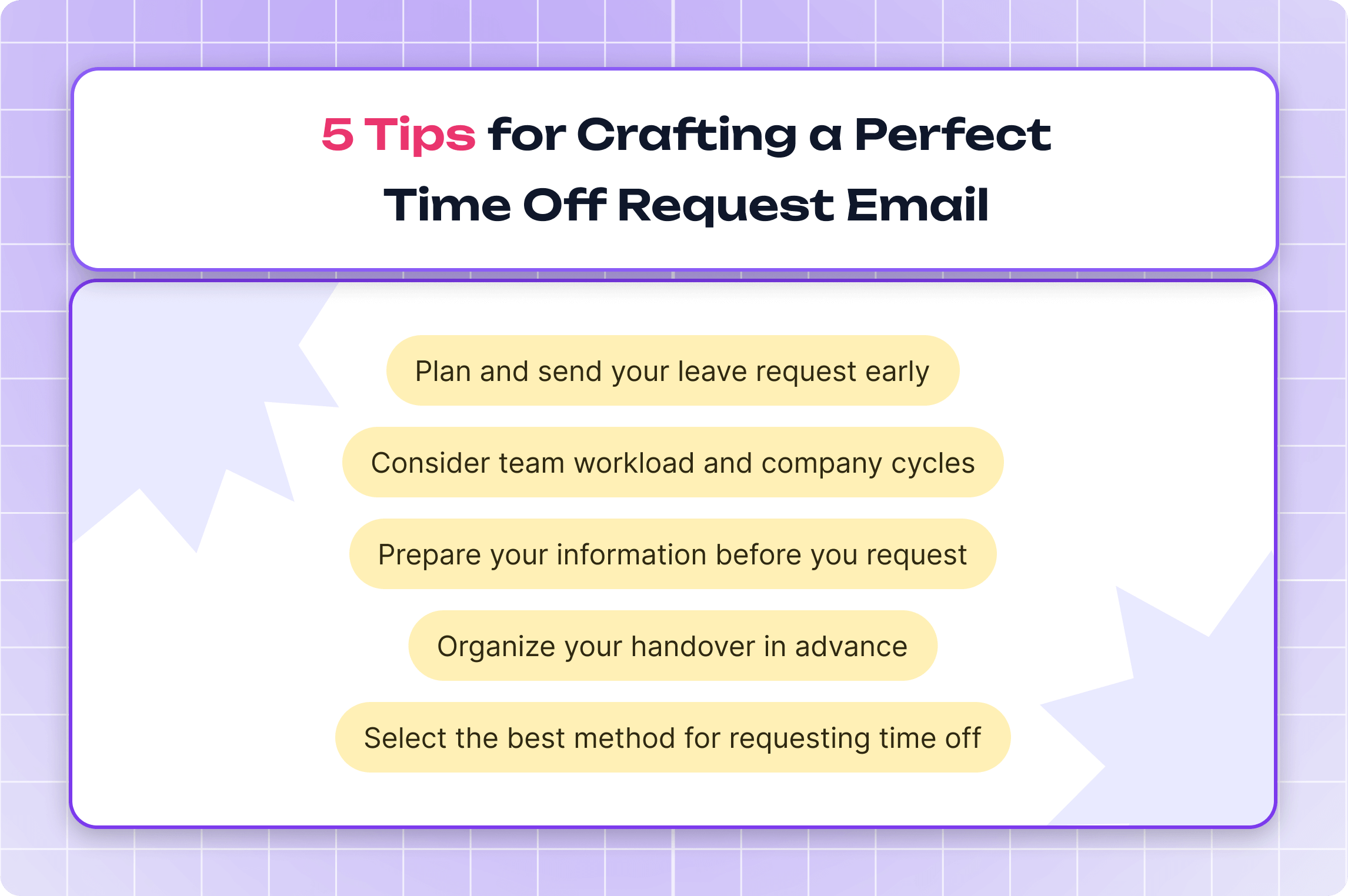
1. Plan and Send Your Leave Request Early
Planning ahead is essential because sending a leave request at the last minute not only creates unnecessary stress but also reduces your chances of getting approval, especially if your manager has no time to prepare for your absence. When you submit your request early, you give the team enough time to coordinate responsibilities, update timelines, and prevent any bottlenecks your absence might cause.
Recommended notice time:
Planned vacation: 2 - 4+ weeks in advance
Short leave / personal day: 3 - 7 days in advance
Urgent personal leave: as soon as the situation arises
Sick leave: immediately after seeing a doctor or receiving documentation
2. Consider Team Workload and Company Cycles
Before requesting leave, it’s vital to take into account the broader work context around you. You’d better look at seasonal peaks, major releases, client commitments, or internal reporting cycles that may require your presence.
If multiple teammates are already planning to be away, you should consider whether your absence could create gaps or delays. If your desired dates fall within a sensitive period, discuss potential adjustments with your manager before sending your formal request.
3. Prepare Your Information Before You Request
A well-prepared request helps your manager make a decision faster. For starters, it’s better to gather all relevant details before writing: your planned dates, which tasks will be completed beforehand, and any documents needed (such as medical certificates or family-related confirmations).
Think through how your work will be organized during your absence, so your email can clearly reflect readiness and reliability. This preparation reduces follow-up questions and streamlines the approval process.
4. Organize Your Handover in Advance
Effective handover planning minimizes disruption while you are away. Identify key responsibilities that need attention during your absence and determine who can take them over. Prepare short summaries, instructions, or checklists for colleagues who will handle your tasks.
Communicate any potential risks or deadlines in advance, and ensure everything is handed over at least a day before you leave. A well-organized handover shows professionalism and supports team continuity.
5. Select the Best Method for Requesting Time Off
Email remains a common way to request time off in many organizations. While it works, the process often introduces unnecessary friction: messages get overlooked, responses take time, and teammates aren’t always aware of upcoming absences. As a result, even a simple request can turn into a sequence of manual steps.
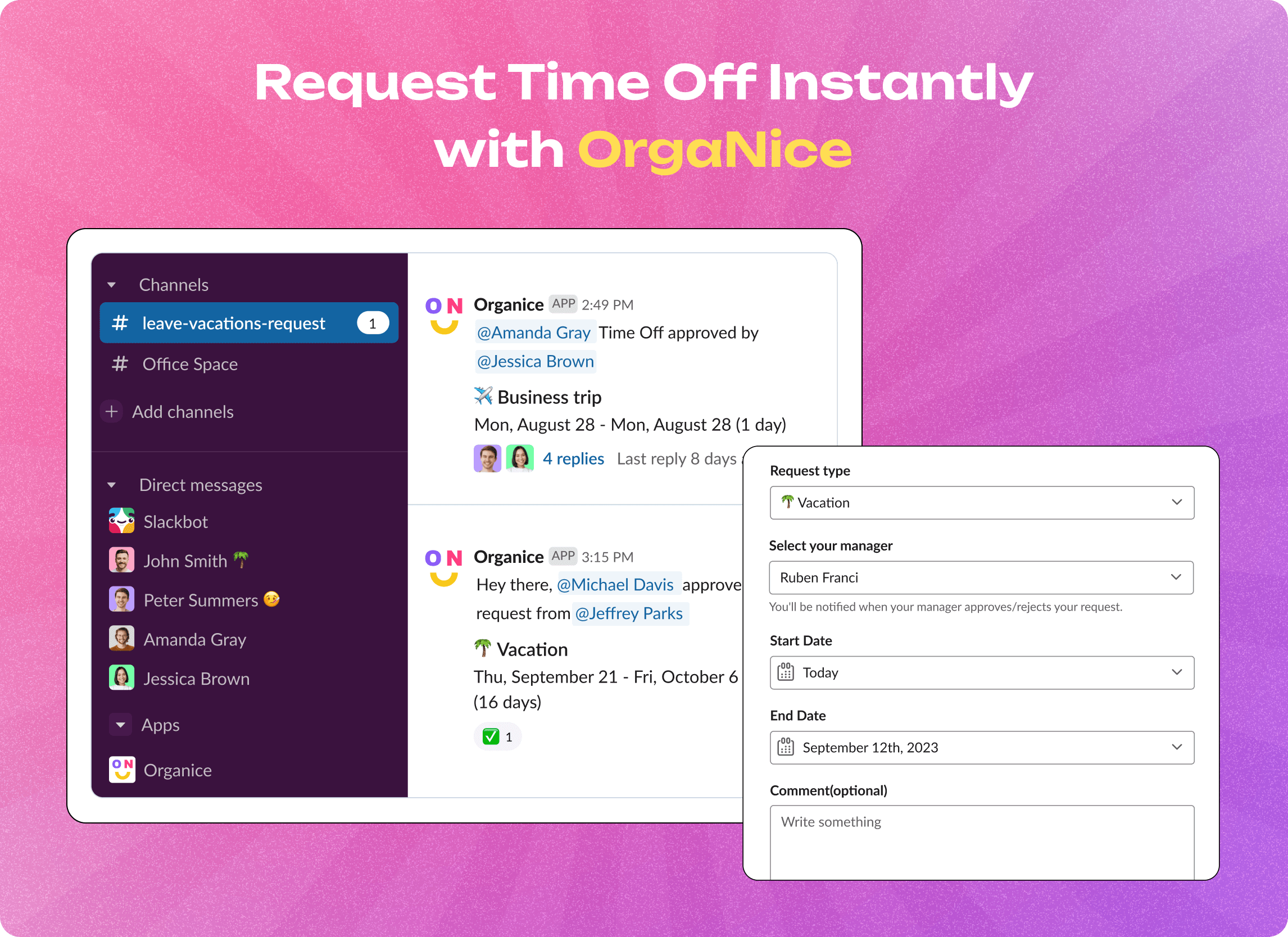
Teams that use Slack have a more streamlined option, an automated workflow that keeps everything in one place. OrgaNice time off and vacation tracker offers exactly that.
This tool integrates directly with Slack and centralizes the entire request–approval process. No additional software, no spreadsheets, no switching between systems. Every request, approval, and update is handled inside Slack, where your day-to-day communication already takes place.
OrgaNice reduces manual work and increases transparency. Employees can submit requests in a couple of clicks, managers receive immediate notifications, and the whole team stays informed without extra effort.
Here’s what makes the request and approval workflow effortless:
customizes PTO policies to match your organization’s rules;
allows you to create flexible time-off request forms with fields like PTO type, dates, comments, and required manager approval;
enables employees to submit requests through the “Request Time Off” button in the OrgaNice Slack tab;
automatically notifies managers in Slack whenever a request is submitted;
sends updates to selected or public channels when time off is approved so teams can plan coverage;
keeps a record of upcoming and past absences and organizes them by type;
provides real-time visibility into time-off balances and policy details for both employees and managers;
updates the employee’s Slack status automatically with an “away” emoji (like a palm tree for vacation);
syncs time-off dates, holidays, birthdays, and work anniversaries into a single calendar;
generates reports that give easy access to absence statistics and patterns.
The cherry on the top is that OrgaNice offers a 14-day free trial. After that, it costs $1.25 per employee per month (with even lower rates for annual billing). The subscription includes the time-off tracker plus additional tools such as an AI-powered org chart builder, employee survey features, a birthday bot, a kudos bot, and more.
Say "goodbye" to PTO chaos with OrgaNice in your Slack
Final Say on How to Write a Time Off Request Email
Writing a time off request email doesn’t have to be awkward or complicated. Keep it simple, include the key details, be polite, and let your manager know you’ve planned things out. Do that, and your request goes down easy, no stress, no confusion, just a smooth path to your well-deserved break.
And if your team spends most of the day in Slack, you can make the whole process even easier. OrgaNice lets you handle time-off requests, approvals, and team updates right inside Slack, without juggling extra tools. It also comes with handy add-ons like an org chart generator and other workspace-friendly features that keep everything organized with way less effort. Don’t be shy to contact us – we’re here to help!